
AI Toolkit · Claude Resources
unslop: from AI slop to a designed screen
A skill for Claude and Claude Code that designs vibecoded screens: purple gradients, glow, emoji and shouty copy out, a character of its own in. NinA's adaptation of unslop by Damir Sokolovsky, with rules for Dutch-language interfaces.
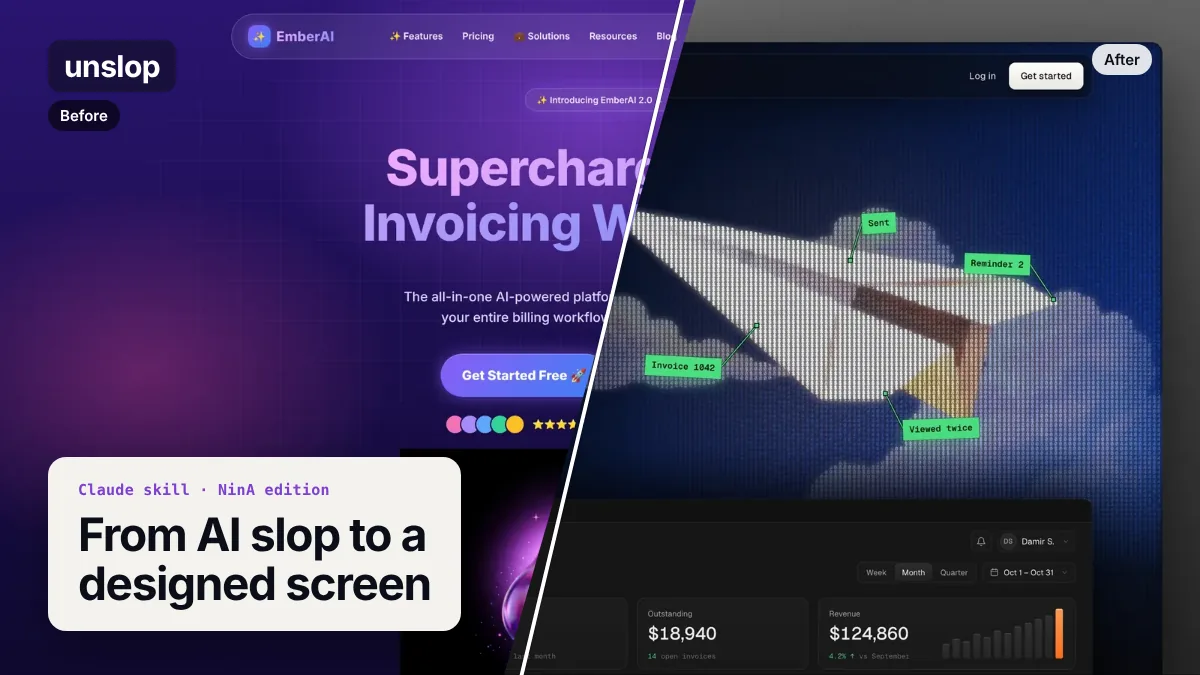
What it looks like
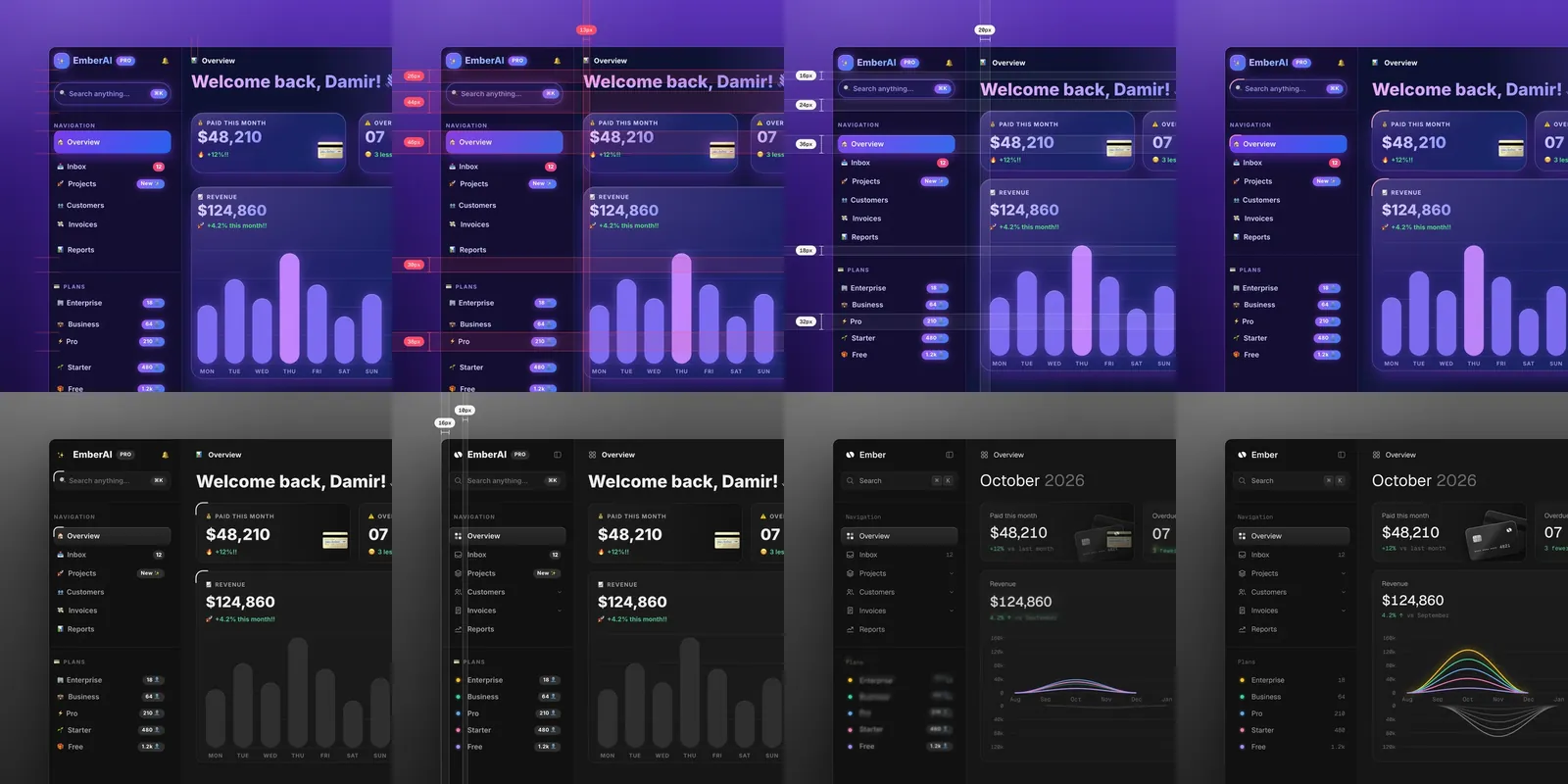
On the left, a typical vibecoded landing page: purple-to-blue gradients, a glossy blob, sparkles and a headline that fits any product. On the right, the same product after unslop. Drag the slider to compare.
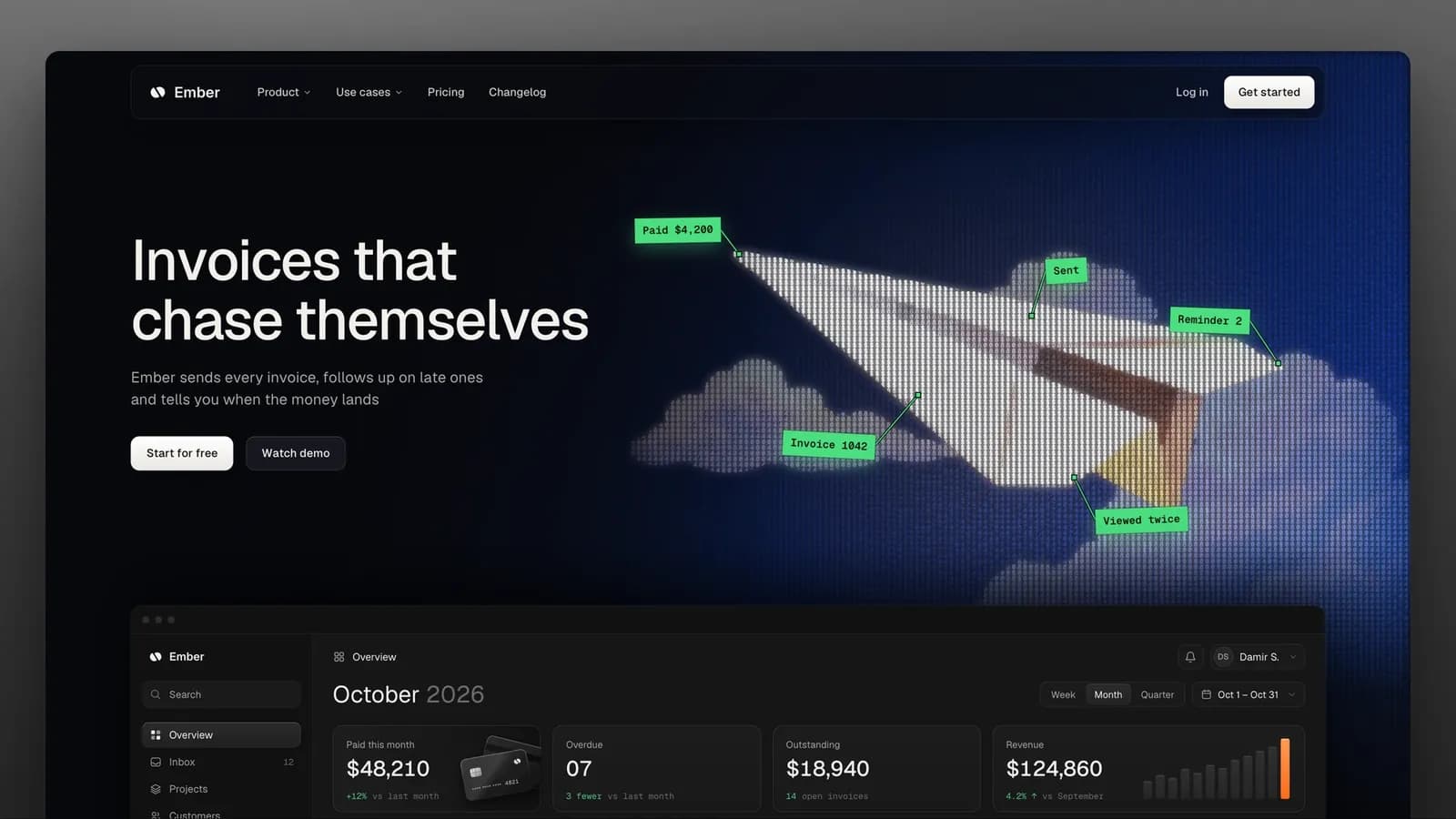
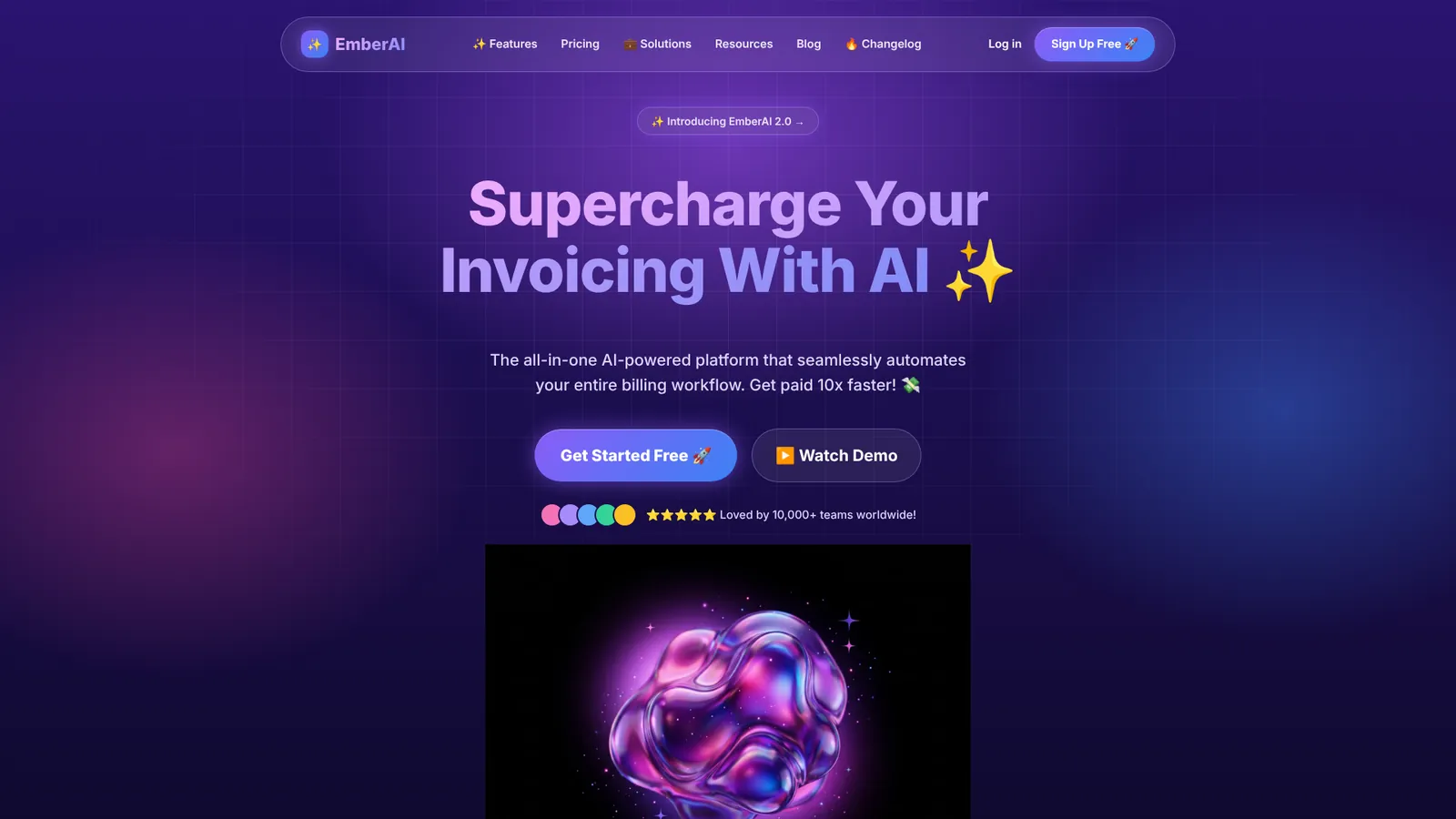
On a dashboard it comes down to quiet chrome: one neutral color ramp, no emoji, labels without uppercase, numbers in one format and color only where it means something.
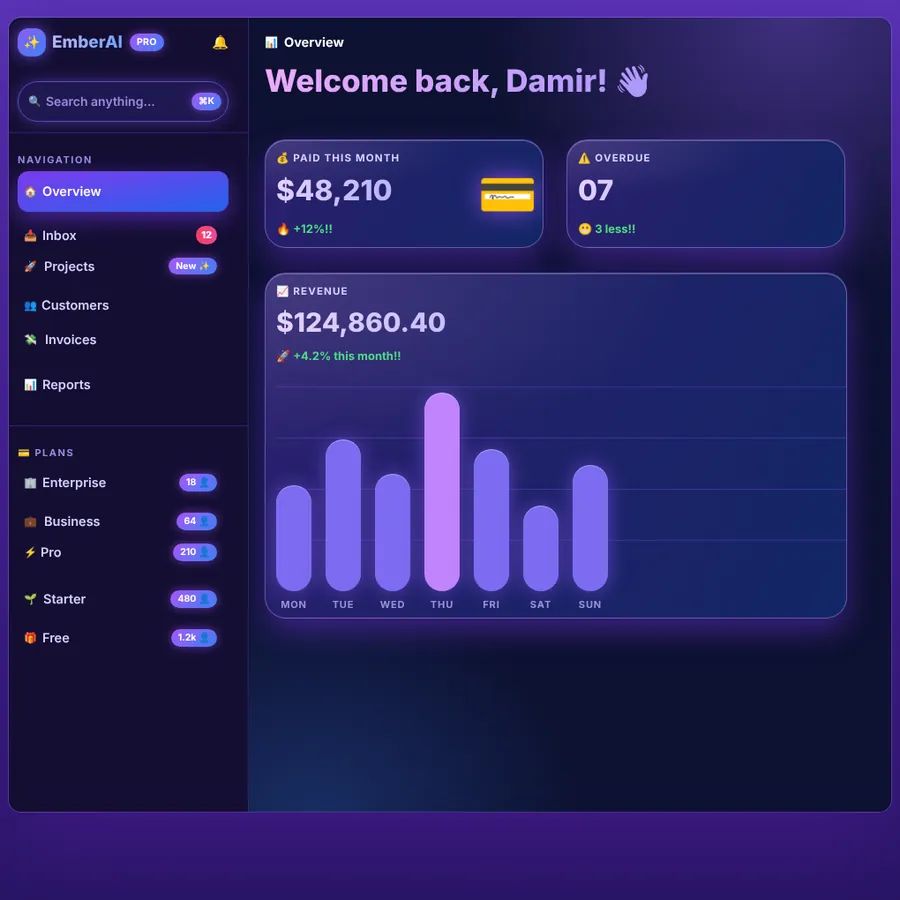 Before
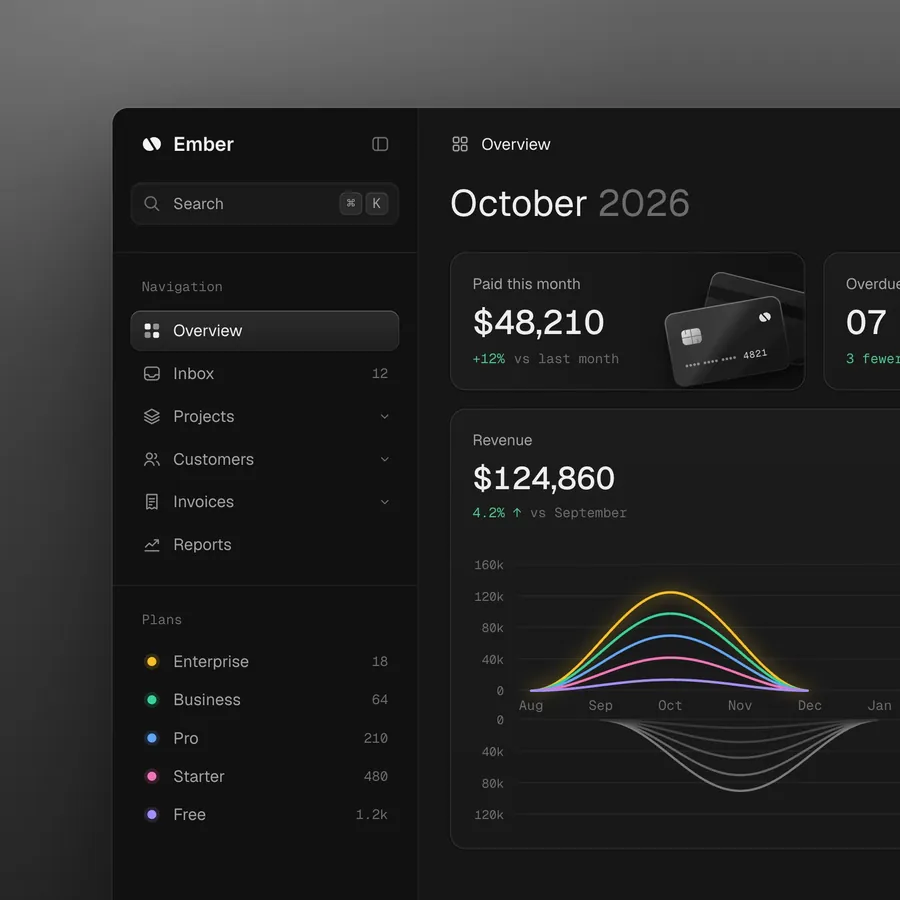 After
On request, the skill turns it into a short video: your screen cleaning itself up, with red redlines on the slop. Square and about ten seconds, ready to post.
What the NinA version adds
The original skill is in English. Our version also knows the traps of Dutch-language interface copy:
| Before | After |
|---|---|
| Welkom terug, Olaf! 👋 | Oktober 2026 (the period, not a greeting) |
| Ontgrendel de kracht van AI ✨ | Facturen versturen en betaald krijgen (what it does) |
| +12%!! | +12% t.o.v. vorige maand (with a reference) |
| BETAALD DEZE MAAND | Betaald deze maand (sentence case) |
| $48,210 and 12.5% | € 48.210 and 12,5% (Dutch notation) |
| Bekijk uw facturen · Maak je account aan | Bekijk je facturen · Maak je account aan (one form of address) |
| Settings, Insights, Get started | Instellingen, Inzichten, Aan de slag (no needless English) |
What the skill does
unslop works like a designer doing a redline pass: look first, then choose a direction, then improve layer by layer. Your page's features, content and order stay. What changes: every size, color, word and image becomes a deliberate choice.
- 1
Audit
Claude looks at the screen (in the code, in the browser, or through a link to a live site) and lists every sign of slop, with where it lives.
- 2
Direction
Five short lines taken from your product: what it does, its character, the world it belongs to, the one or two moments that get color, and one signature detail. Claude shows the audit and the direction and waits for your go-ahead.
- 3
Nine passes
Spacing, color, icons, copy, type, layout, details, visuals and motion, in that order, each across the whole screen.
- 4
Check and report
A checklist, a new render against the audit list, and a short report per pass. If your screen is already good, Claude says so and suggests a few small refinements at most.
Works in React, Next.js, Vue, Svelte, Tailwind and plain HTML and CSS, for dashboards, apps and landing pages. If all you have is a link or a screenshot, Claude rebuilds the screen first and delivers a redesigned version in code.
Install in Claude (web and desktop)
- 1
Download the skill
Choose the Dutch or the English version. Both work on Dutch and English screens; the difference is the language of the instructions.
- 2
Go to Customize → Skills
Open Claude in the browser or the desktop app and go to 'Customize' → 'Skills'. Skills need a paid plan. If you don't see Skills, turn on code execution in the settings.
- 3
Upload the zip
Click the '+' icon, choose upload and select the zip you just downloaded. Don't unzip it first.
- 4
Use it
Upload a screenshot or paste your code and ask: "Unslop this screen". Claude picks up the skill by itself.
Install in Claude Code or Codex
- 1
Unzip into your skills folder
This makes the skill available in all your projects. Only for one project? Use .claude/skills/ inside that project folder. For Codex it's ~/.agents/skills/ (or .agents/skills/ inside a project).
mkdir -p ~/.claude/skills && unzip ~/Downloads/unslop-nina-en.zip -d ~/.claude/skills/
- 2
Type /unslop with what you want
Or ask in your own words: Claude picks up the skill by itself. Other examples: /unslop the hero of https://example.com, or /unslop my landing page and make the story video so I can post it.
/unslop this dashboard
Live sites and story videos
To snapshot a live site or render a story video, the skill needs Playwright with Chromium. Run this in the project folder where you use the skill. The video also needs ffmpeg installed.
- 1
Install Playwright
npm install -D playwright && npx playwright install chromium
Generating images
For a hero, the skill can have a real scene or object made with an image service like fal, Replicate, OpenAI or Higgsfield, if you have one connected. Claude shows the prompt first and asks before every paid generation. Dashboards and apps rarely need a generated image: there the moment comes from your own product.
Who made it
- 1
Damir Sokolovsky (@heydamir)
Creator of unslop and of the Unslopping series on X. The skill is licensed under CC BY 4.0: you may use, change and share it, including commercially, with credit.
- 2
Adapted by NinA AI Agency
What we changed: Dutch instructions in the Dutch version, rules for Dutch-language interfaces in both (form of address, amounts, percentages and dates, capitals, em dashes, English labels and long words) and a line on reduced motion. The references, images and scripts are the original. It's all in LICENSE.md inside the zip.